FEATURE
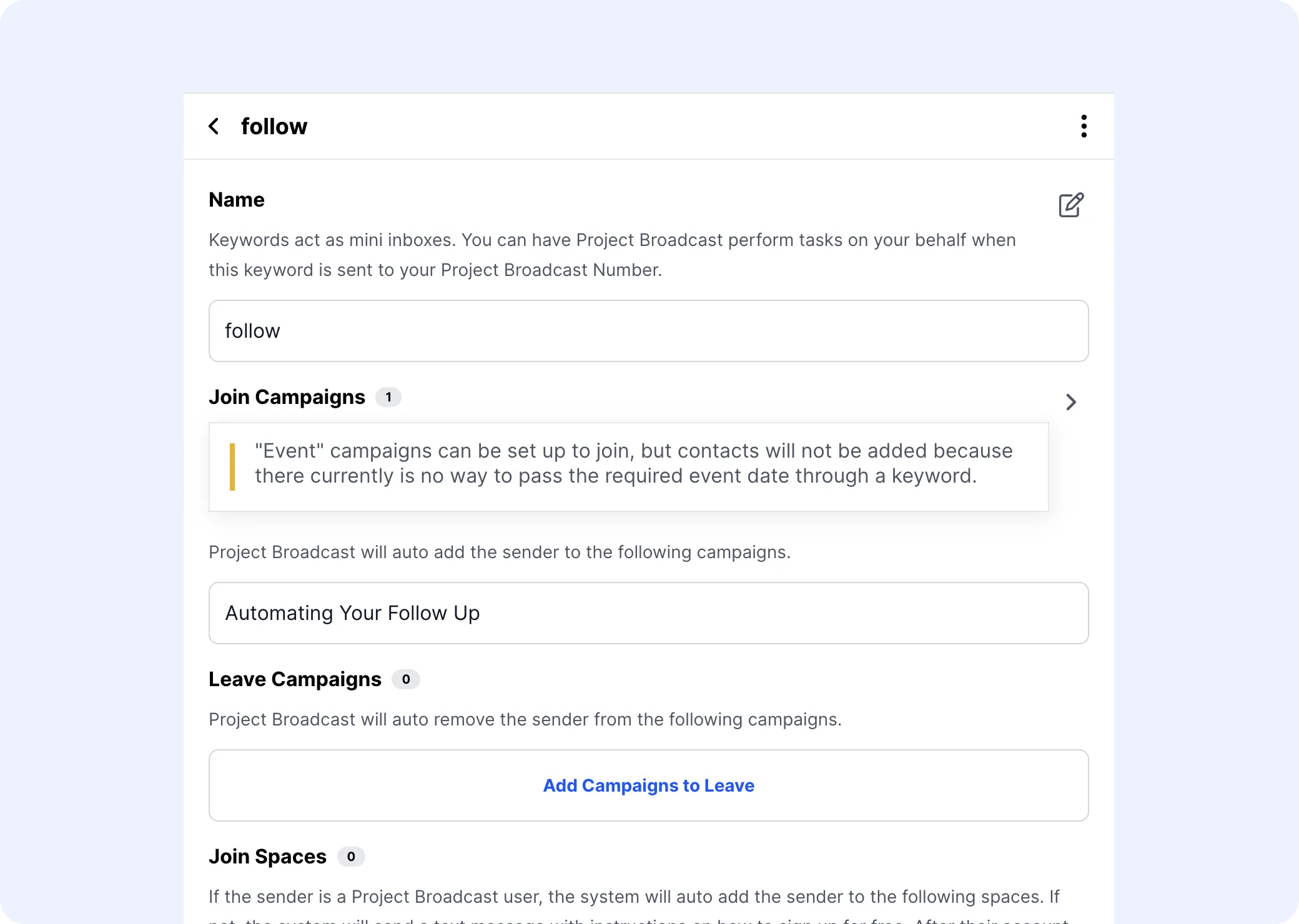
What Are Keywords? Keywords are your gateway to effortless automation, allowing contacts to trigger tailored responses by texting specific words or phrases to your Project Broadcast number. Tips & Tricks Unlock the full potential of Project Broadcast Override with Caution Enable the “Override Keywor

Unlock the full potential of Project Broadcast
Enable the “Override Keywords & Templates” feature carefully, as it will replace existing matching keywords and templates when importing a Bundle.
Prioritize content that has been tested and received positive feedback to ensure the highest quality and effectiveness.
Be mindful of dynamic fields in your content, ensuring they remain functional when imported by other users by using generic placeholders like “myFirstName” instead of specific names.
Discover a wealth of capabilities within Project Broadcast. From automated campaigns to personalized interactions, explore dynamic features designed to streamline your communication.
Get StartedEffortlessly schedule messages for follow-ups, reminders, and nurturing sequences, ensuring consistent and timely outreach.
Efficiently organize contacts with easy tagging and segmentation, enabling precise and targeted messaging for specific groups.
Elevate your messaging with dynamic fields, like first names, to create personalized connections effortlessly.
Quickly communicate with message templates. Save time on common messages like intros or follow-ups, boosting efficiency.
Let customers opt into campaigns or events by texting a keyword, ensuring precise messaging to interested parties.
Track engagement efficiently. Generate trackable links to gauge interest and measure campaign impact for better decisions.
See why over 30,000 business builders trust Project Broadcast to connect with their communities.